WhatsApp: +91 99986-85666

Connected to WiFi but No Internet? Common Causes and Easy Fixes
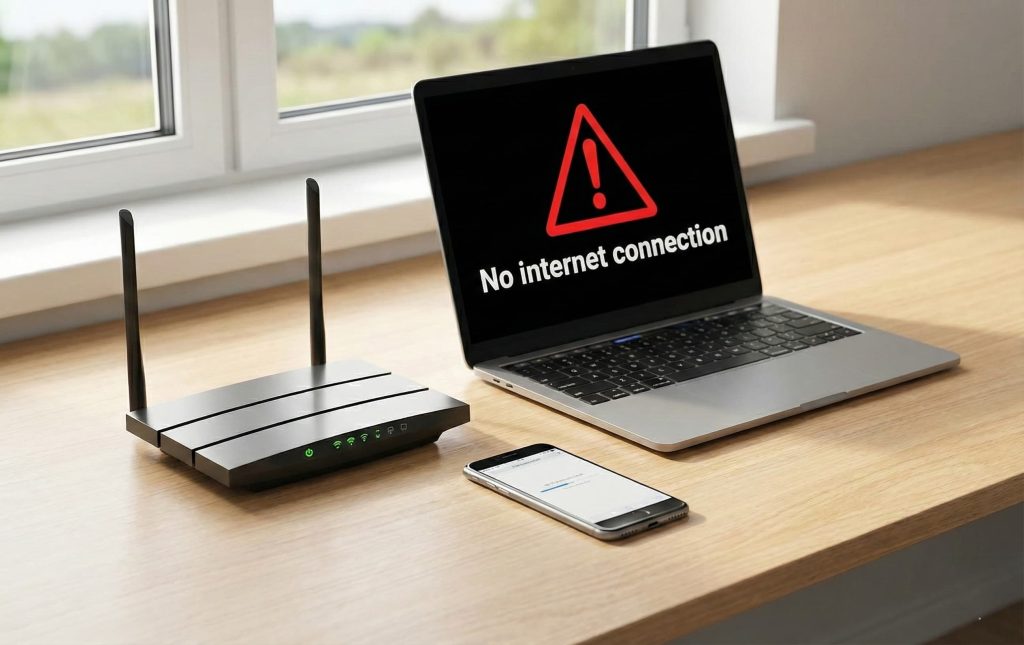
Many people experience a situation where their phone, laptop or smart TV clearly shows a WiFi connection, yet nothing loads online. This is commonly described as being connected to WiFi but no internet connection is available. You may see error messages like connect to the internet and try again or internet not available, even though the signal strength looks strong. This problem can disrupt work, online classes, video calls and entertainment. Understanding why this issue occurs and how to fix it helps users restore connectivity faster and avoid repeated frustration. This blog explains the causes in simple terms and shares practical steps that actually work.
What “Connected to WiFi but No Internet Connection” Really Means
When your device connects to WiFi, it only confirms that the device can communicate with your router. Internet access depends on whether that router is successfully connected to the wider internet through your service provider. If that external link fails, your device stays connected locally but cannot access websites or apps. This is why users often face a no internet connection problem despite being connected to WiFi.
In simple words, WiFi and internet are not the same thing. WiFi is the local connection, while the internet is the global network beyond your router.
Common Reasons You Are Connected to WiFi but No Internet Connection
Temporary Outages That Cause No Internet Connection
Sometimes the issue is not inside your home at all. Short service interruptions, maintenance work or technical faults at the provider level can cause internet access to drop temporarily. During this time, devices stay connected to WiFi but show internet not available messages.
Router or Modem Glitches
Routers and modems work continuously and may develop minor software issues. When this happens, the router still broadcasts WiFi but data does not pass through to the internet. This is one of the most common reasons people see connected to WiFi but no internet connection.
Incorrect Network Settings
Wrong IP address allocation or gateway settings can prevent devices from accessing the internet. This can happen after power cuts, firmware updates or when many devices connect at once.
DNS Resolution Problems
DNS helps convert website names into numerical addresses. If DNS servers fail or respond slowly, websites will not open even though the WiFi connection appears normal. This often triggers connect to the internet and try again warnings.
Device Related Issues
Outdated software, corrupted network drivers or misconfigured settings on a laptop or phone can also cause a no internet connection issue even when other devices work fine.
Simple Fixes When Internet Is Not Available
Restart Your Router and Modem
This is the most effective first step. Turn off the router and modem, wait for 30 seconds, then switch them back on. Restarting clears temporary errors and restores normal connectivity in many cases.
Test Internet on Multiple Devices
Check if the issue appears on all devices or only one. If all devices show internet not available, the problem is likely with the network or service provider. If only one device is affected, the issue is device specific.
Forget and Reconnect to WiFi
Removing the WiFi network from your device and reconnecting can refresh settings and fix authentication errors.
Check Cables and Power Supply
Loose cables or unstable power can interrupt the internet signal. Ensure that all cables between the modem and router are firmly connected.
Change DNS Settings Manually
Switching to reliable public DNS servers can resolve browsing issues.
For a basic explanation of how DNS impacts internet connectivity you can refer to internet infrastructure basics.
Fixing “Connect to the Internet and Try Again” Errors on Devices
Update Network Drivers
On laptops and desktops, outdated drivers can cause repeated connection errors. Updating drivers through system settings can often fix the issue.
Disable VPN Temporarily
VPN software can interfere with normal internet access. Turning it off temporarily helps identify whether it is causing the no internet connection problem.
Reset Network Settings
Resetting network settings restores default configurations and removes hidden conflicts that block internet access.
When Connected to WiFi but No Internet Connection Comes from the Provider
If none of the above steps work, the issue may be with the service provider. Backend outages, cable damage or maintenance activity can interrupt internet access without affecting WiFi signals.
India’s telecom ecosystem is regulated to maintain service quality and transparency.
For official guidance on telecom service standards you can refer to India’s telecom authority guidelines.
Why Network Infrastructure Matters for Stable Internet
A strong internet experience depends on the quality of the network infrastructure. Older copper-based networks are more prone to interference, congestion and signal loss. These weaknesses often result in frequent connected to WiFi but no internet connection complaints.
Modern fiber networks handle higher data loads and maintain consistency even during peak usage. Research on broadband infrastructure explains how network upgrades improve stability.
How Fibervalley Helps Reduce Connected to WiFi but No Internet Connection Issues
One of the main reasons users repeatedly face internet not available problems is outdated last-mile connectivity. Fibervalley operates on a fully upgraded FTTH network, where fiber reaches directly to homes and offices. This reduces signal loss, improves uptime and lowers the chances of sudden internet dropouts while staying connected to WiFi.
A stronger underlying network ensures smoother browsing, streaming and work from home usage. Users can explore connectivity options and service details on our website.
When You Should Contact Customer Support
If the issue continues despite troubleshooting, professional support may be required. Persistent connected to WiFi but no internet connection errors can indicate physical cable faults or router hardware problems.
Support teams can run diagnostics and restore service faster. Assistance options and service information are available through our website.
Preventing Internet Not Available Problems in the Future
Regular router updates, using quality networking equipment, and choosing a reliable service provider help reduce connectivity issues. Avoid overloading old routers with too many devices and ensure your internet plan matches your usage needs.
A stable connection is not just about speed, but about consistency and reliability over time.
Conclusion
Facing a situation where you are connected to WiFi but no internet connection is frustrating but usually fixable. From router glitches and DNS issues to service-level disruptions, the causes are often simple once understood. By following basic troubleshooting steps and relying on strong network infrastructure, users can avoid repeated connect to the internet and try again messages. Choosing a service backed by modern fiber connectivity and responsive support plays a key role in maintaining a smooth and dependable internet experience.